
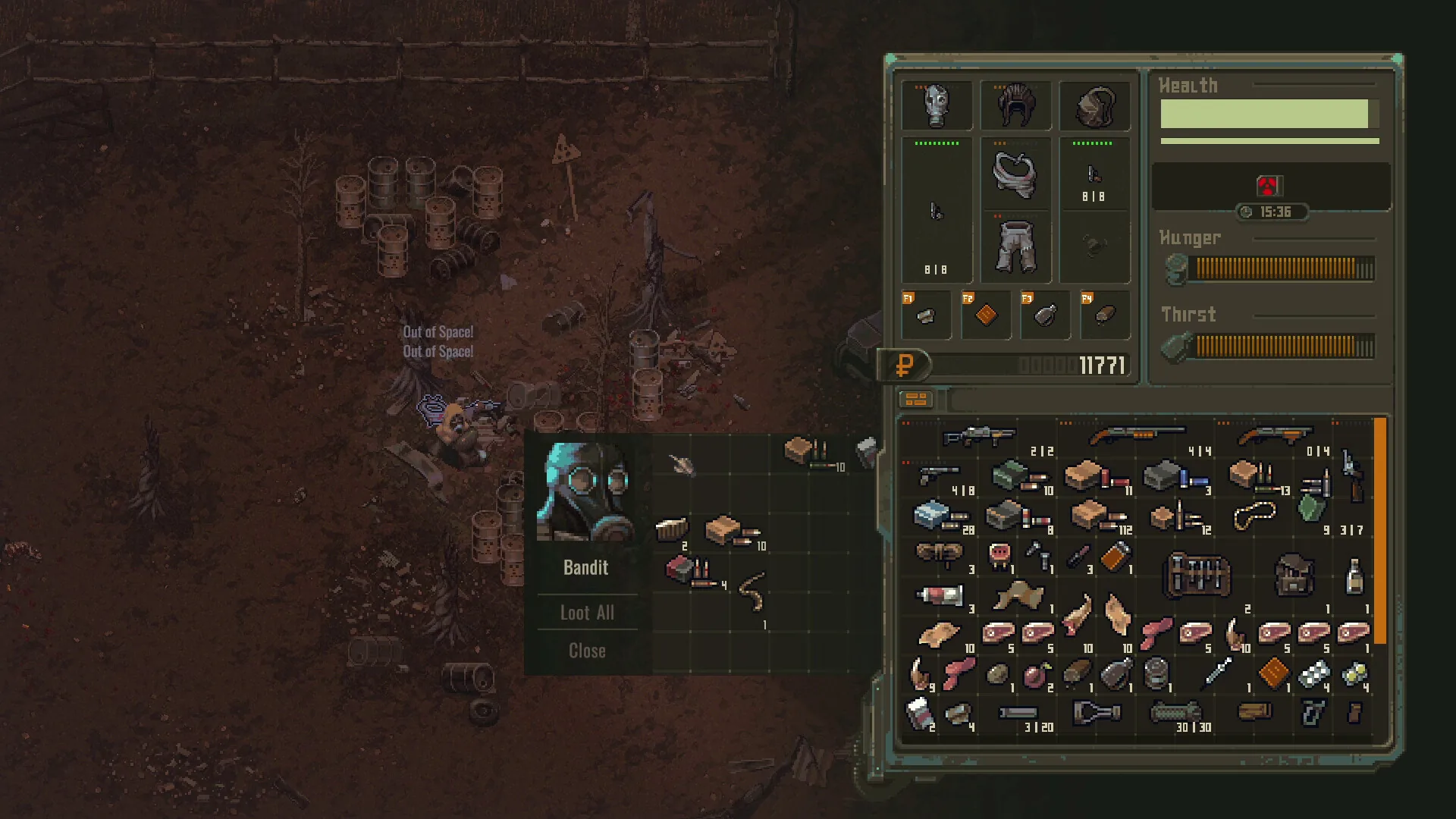
Media: user-provided authorized asset pack · Community-reported @ https://steamcommunity.com/app/3373500/discussions/. This image supports context, not every mechanic described on the page.
Field notes
- 01 · Configure Steam Launch Parameters (-dev / -console): To enable the developer console and diagnostic features, right-click Scavland in your Steam Library -> Properties -> General -> Launch Options. Enter "-dev" or "-console" (without quotes) to activate developer diagnostic logging and command overlay support on boot.
- 02 · Open Diagnostic Console Hotkeys: Launch your run and press the tilde [~] or [F1] / [F2] key to toggle the in-game developer overlay window for real-time telemetry and debug commands.
- 03 · Enable Explorer Mode (Official Built-in Cheats): Before altering memory tables or injecting external code, consider enabling Explorer Mode in world settings. This native difficulty setting acts as a built-in cheat suite with 1.2x vendor payouts, baseline 150 stamina with reduced roll costs (15 stamina vs 40 in standard modes), and 2x campfire healing without risking save corruption.
- 04 · Cheat Engine (CT Table) & Trainer Compatibility: With Update 0.7.0 and Update 0.7.2, pointer shifts invalidated legacy CT tables. Ensure you load tables specifically built for Update 0.7.0+ to prevent memory desyncs or game freezes when locking stamina or editing currency.
- 05 · Solo Offline Safety & VAC Policy: Scavland operates entirely offline in solo play with no Valve Anti-Cheat (VAC) integration, making Cheat Engine tables, console commands, and local mods safe from account bans in single-player sessions.
- 06 · Leverage Dedicated Autosave Slots & Backups: Update 0.7.0 isolates each run into its own Autosave Slot. Before testing external memory tables or debug injections, create a manual backup of %USERPROFILE%/AppData/LocalLow/NoShadow/Scavland/Saves/ to preserve campaign progression.
Evidence boundary
| Console Launch Flags | Passing -dev and -console command flags in Steam activates developer diagnostic logging and console overlay |
| Console Overlay Hotkeys | Press [~] (Tilde) or [F1] / [F2] in test builds to toggle the console window |
| Built-in Casual Cheats | Explorer Mode provides built-in casual settings: 1.2x vendor payouts, 15 roll stamina cost, and 2x campfire healing |
| Memory Offset Updates | Update 0.7.0 and Update 0.7.2 adjusted memory pointers, requiring updated CT tables for stamina and inventory |
| Anti-Cheat Policy | Scavland is an offline single-player game in Early Access with no server-side VAC bans for solo play |
| Save File Location | Saves are stored locally at %USERPROFILE%/AppData/LocalLow/NoShadow/Scavland/Saves/ |
| Autosave Protection | Update 0.7.0 gives each run an independent Autosave Slot, safeguarding primary campaign progress |
| Evidence Baseline | Community-reported @ https://steamcommunity.com/app/3373500/discussions/ |
Questions players ask
How do you open the console in Scavland?
To open the developer console, add -dev or -console to your Steam Launch Options (right-click Scavland -> Properties -> General -> Launch Options). Once in-game, press [~] (Tilde) or [F1] / [F2] to toggle the debug console overlay.
Are there official cheat codes in Scavland?
Scavland provides an official "Explorer Mode" difficulty preset that functions like built-in cheats—offering 150 maximum stamina with 15 roll cost (compared to 40 in standard modes) and 2x campfire health recovery. Console debug access requires -dev or -console launch flags.
Are single-player trainers (Fling, WeMod, Cheat Engine) safe to use in Scavland?
Yes. Scavland is strictly an offline single-player experience during Early Access with no server-side VAC anti-cheat. While external trainers and CT tables will not trigger bans, always ensure you use tables built for Update 0.7.0+ to prevent memory pointer crashes, and take advantage of the independent Autosave Slots to protect your main campaign.
What trainer options are available for Scavland on PC?
Because Scavland is an offline solo title, players frequently utilize standalone memory trainers (such as Fling or WeMod) alongside community Cheat Engine CT tables for stamina locking, inventory weight bypass, and infinite rubles. Always ensure trainer versions match Update 0.7.0+ to prevent memory pointer crashes.
Why do older Cheat Engine tables crash after Update 0.7.0 / 0.7.2?
Update 0.7.0 and Update 0.7.2 refactored internal data structures and inventory serialization, shifting memory pointers. Legacy tables cause memory desyncs or crashes; always use tables updated for the current patch.
Can you get VAC banned for using console commands or Cheat Engine in Scavland?
No. Scavland is a dedicated single-player title in Early Access with no server-side VAC anti-cheat for solo play. Modifying local stamina or ruble values in single-player will not ban your Steam account.
How does Update 0.7.0 safeguard saves when using cheats?
Update 0.7.0 introduced individual Autosave Slots per run, preventing a modded or experimental session from automatically overwriting your primary progression save.
Where are Scavland save files located on PC?
Local saves are found at C:\Users\
Related guides
Mods & Community
Complete guide to Scavland modding: BepInEx installation, custom inventory grids, community translations, balance tweaks, and VAC safety policies.
Read field notes
Save File Location
Find your Scavland PC save files, backup campaign progression, restore corrupted saves, and manage Update 0.7.0 dedicated Autosave Slots on Windows & Steam Deck.
Read field notes
Explorer Mode
Complete guide to Scavland Explorer Mode (v0.5.169): campfire health healing, doubled stash capacity, relaxed death penalties, and survival strategy.
Read field notes
Beginner Guide (Update 0.7.2)
Definitive Scavland beginner guide & starter walkthrough: Update 0.7.0 & Hotfix 0.7.2 mechanics, Green Rags starter kit, 150 max stamina, difficulty dodge costs, 2x campfire healing, and The Mire safe route.
Read field notes
Weapon Repair & Durability
How to repair weapons in Scavland (Update 0.7.0): universal Gun & Armor Repair Kits, 80% Glue/Lube and 70% Cleaning Rod thresholds, rifle durability buffs, and jam fixes.
Read field notes